
YMCA360
The Y that goes with you
Your membership doesn't stop at our front doors. With YMCA360, you can take a class in your living room, on a lunch break or on vacation. It's included with your Gaston County Family YMCA membership, so you'll always have a Y nearby.
Pick a button below to log in, get the app or learn more.


Bringing the Y to where you are
YMCA360 connects you to the people, programs and energy of the Y, wherever your day takes you. Choose from hundreds of on-demand and livestream classes, then come see us in person when you're ready. Home, hotel room or your local branch, you belong here.
Now on YMCA360: Les Mills workouts
Les Mills classes are now part of your membership at no extra cost. Build strength, boost your cardio and try total-body training with the high-energy workouts so many of our members love. More variety makes it easier to keep going.
How to get started
- Download the YMCA360 app on your phone, computer or TV.
- Log in with the email address on your Gaston County Family YMCA membership.
- Tap "Watch."
- Choose the Les Mills category and press play.
Find the download links at the top of this page.
Something for every age and every body
From yoga to youth sports, YMCA360 classes are led by real people, for real people. Wherever you're starting from, you'll find a class that fits.
Kids & Family

From youth sports to arts & crafts, the Kids & Family channel, with over 250 videos to explore, will build confidence and inspire creativity for every member of the family.
Mind & Body
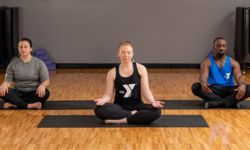
Take a deep breath and start your journey with the Mind & Body channel, an active and meditative collection of over 200 programs with favorites like Pilates and yoga.
Fitness First
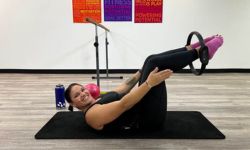
From boot camp and strength to cycle and circuits, the Fitness First channel includes a variety of group exercise classes with over 350 options to get you moving.
Boomers & Beyond

Designed for ages 55 and older, the Boomers & Beyond channel, with over 60 classes, provides Active Older Adults ways to stay healthy and engaged.
Experience the Y anywhere, anytime
Stream YMCA360 on your phone, tablet, computer or TV, whenever it works for you. Download the app from the Apple App Store or Google Play, or visit YMCA360.org to start watching.
YMCA360 connects you to the people, programs and energy of the Y, wherever your day takes you. Choose from hundreds of on-demand and livestream classes, then come see us in person when you're ready. Home, hotel room or your local branch, you belong here.
Take a quick tour of the YMCA360 app
See how easy it is to find on-demand workouts, track your progress and stay connected with your Y community. This short video walks you through it.
Frequently Asked Questions
YMCA360 is an on-demand video platform for Y community members with group exercise and well-being classes, youth sports training, and more to serve you wherever you are whether you are at home or on the road.
Follow these easy steps to login:
- Go-to the YMCA360.org login page.
- Enter the zip code associated with your Y membership, and click continue.
- Select your home branch from the resulting list.
- Enter the email address associated with your Y membership.
- Follow the on-screen instructions to verify your account.
- After logging in, browse the library of classes and select one to get started!
View this PDF on how to connect your wearable device to your Y360 Activity tracker.
Before continuing, please follow the steps listed under the "How do I log into YMCA360?" FAQ above to access YMCA360.
To log in to YMCA360 you must use the email address associated with your Y membership. To confirm or change the email address associated with your Y membership, please follow the steps described here: "How to update your contact information". Please allow 30 minutes after updating the email address associated with your Y membership before attempting to log in to YMCA360 again.
If, after following the steps described in the "How to update your contact information" article, you cannot log in to YMCA360 with the correct email address associated with your Y membership, please use this webform to contact our customer service team to help resolve the issue. On the webform, under "Topic," select "YMCA 360 Log In Issues."
Yes. YMCA360 is available as a mobile app for your iOS or Android device.
Yes.
After you log in to the YMCA360 mobile app, tap on the Y logo at bottom of the home screen:

On the next screen, tap on "check-in" to show your membership's bar code:

After tapping on "check-in," you will see your membership's barcode, which you can use to scan in at your home branch:

YMCA360 has a comprehensive set of answers to frequently asked questions, including questions that support technical difficulties.
Still have questions? Check out our extended Y360 FAQs.
Can't find what you need? Email Y360 Support at support@ymca360.org
Technical Support
We're here to help. Email YMCA360 Support at support@ymca360.org.